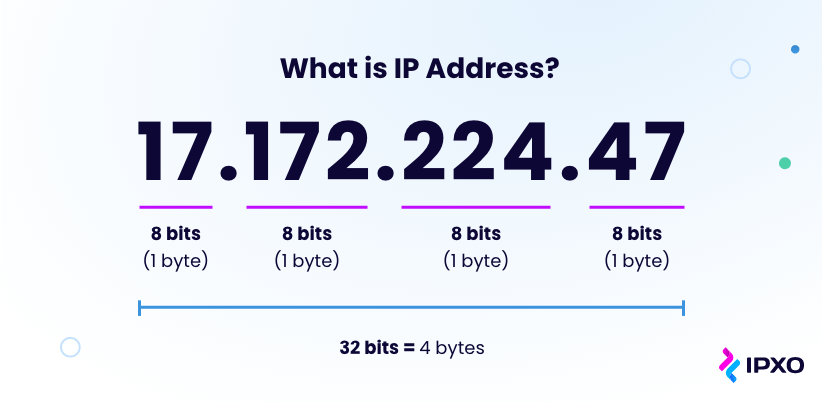
In modern network environments, VLANs (Virtual Local Area Networks) are essential for segmenting networks and organizing devices into logical groups. Understanding why a VLAN might have an IP address involves recognizing its role in remote management, routing, and maintaining network efficiency.
Conceptualizing VLANs as Networks
You can think of a VLAN as a separate network. In many organizational settings, different types of devices require isolated networks to enhance security and performance. For example:
- PLCs (Programmable Logic Controllers)
- Servers
- Networking Devices
- Wireless Access Points (APs)
To simplify network management, VLANs are created for each category. This approach allows multiple devices from different categories to coexist on the same physical switch while remaining logically separated. Without VLANs, each access layer switch would require its own physical network, similar to a home network where all devices share the same subnet.
Why VLANs Need IP Addresses
Unlike computers or servers, VLANs themselves do not inherently need IP addresses. They are assigned network ranges. This is why the terms “VLAN” and “network” are often used interchangeably. For example:
- Servers: 192.168.1.0/24
- PLCs: 192.168.2.0/24
- Regular Users: 192.168.3.0/24
- Wireless APs: 192.168.4.0/24
Each VLAN has its own network range, which ensures devices remain segregated. A server, PLC, user device, or wireless AP will have a different IP based on its assigned VLAN.
The Role of IP Addresses in VLANs
VLANs do not require an IP address for normal Layer 2 switching operations. However, a VLAN interface (often referred to as a Switched Virtual Interface or SVI) can be assigned an IP address for three primary purposes:
- Remote Management:
- The main reason for assigning an IP address to the default VLAN (or any management VLAN) is to facilitate remote management. Network administrators can remotely access and configure switches using this IP.
- Inter-VLAN Routing:
- For devices on different VLANs to communicate, Layer 3 routing is required. VLAN interfaces with IP addresses enable routers or Layer 3 switches to route traffic between VLANs.
- Network Diagnostics:
- IP addresses on VLAN interfaces allow for network diagnostics and monitoring, including running tests like ping and traceroute directly on the switch.
IP Address Allocation and Broadcast Domains
Within each VLAN, IP address allocation follows standard networking principles. The subnet mask defines the available IP range, with the first or last usable IP commonly designated as the default gateway. For instance, in the 192.168.4.0/24 network:
- Default Gateway: Often 192.168.4.1 (but not mandatory)
- Broadcast Address: Always 192.168.4.255 (cannot be assigned)
A device IP such as 192.168.4.100 is likely a client IP, not a gateway or a special role within the VLAN.
Conclusion
Assigning an IP address to a VLAN is primarily about enabling remote management, inter-VLAN routing, and diagnostic capabilities. By understanding the difference between IP allocation for end devices and VLAN interface IPs, network administrators can efficiently manage complex network infrastructures. VLANs simplify network design, enhance security, and improve scalability by allowing multiple logical networks to coexist on shared physical hardware.


Leave a Reply